Every module
You pay per treatment room, not per user. Dentists, assistants and patients are unlimited.
The working day
What reception opens in the morning, and what keeps the clinic moving.
Calendar
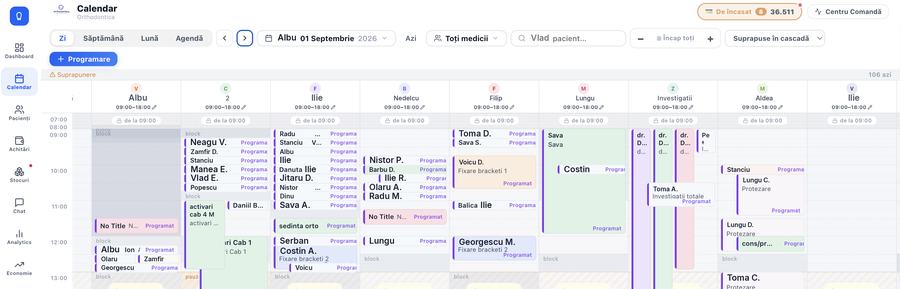
Every dentist on one screen, by day, week, month or agenda. Filter by dentist or room, drag an appointment to move it, search a patient from the top bar.
- A warning when appointments overlap, shown cascaded
- Blocked intervals, breaks and an individual schedule per dentist
- Appointments linked to the treatment plan, with duration taken from the procedure
Command centre
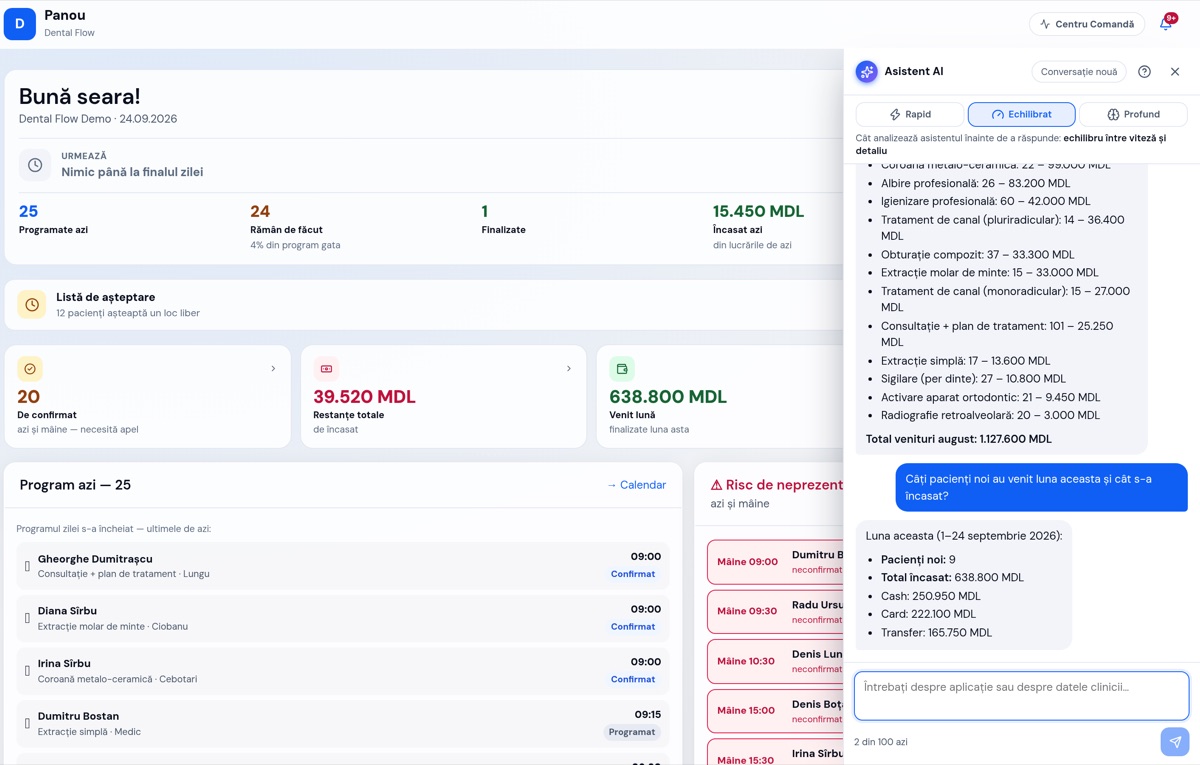
One panel with what needs settling today: material requests, leave requests, overdue payments and unconfirmed appointments. Plus an in-app assistant that answers about appointments, patients or takings, if the clinic turns it on.
Waiting list
Someone cancels at ten. You see straight away who was waiting for that exact slot and call them in.
Internal chat
Channels by role, inside the same app. Conversations about money stay between the people they concern.
Daily dashboard
The day's appointments, takings, new patients and what is still unpaid, on one morning screen.
AI assistant
You ask in your own words and it answers from the clinic’s data: who is coming, what was collected, what the stock is short of. It reads only what you can see, and nothing happens without your confirmation.
- Questions about appointments, patients, payments, arrears, stock and reports
- Drafts an appointment, a task or an SMS — it is sent only once you press “Confirm”
- Respects each user’s permissions: it will not show what they may not see
- Three levels of analysis: quick, balanced or deep
- Switched on at your request and paid for on use — see pricing
The patient
Everything about the person in the chair, from the first appointment to the signed paperwork.
The patient's file
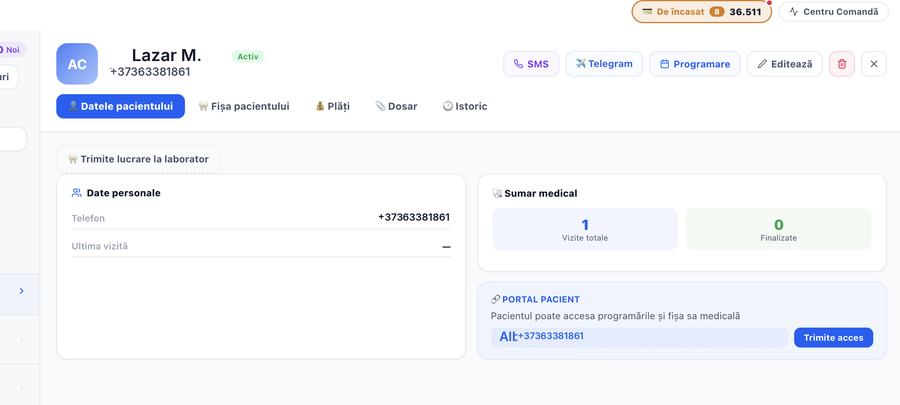
Details, phone, ID number, full history and attached files. Opens in two seconds, chairside.
- Personal details, phone, ID number, notifications sent
- Dental chart, medical history and clinical notes
- Allergies and contraindications, in plain view before any work
- Prescriptions issued
- The treatment plan, with a price and a status on each procedure
- Payments, their history and the instalment plan
- Images, x-rays, CBCT studies and attached files
- The full history: procedures, appointments, payments
- Import from your old software, with duplicates found
Dental chart
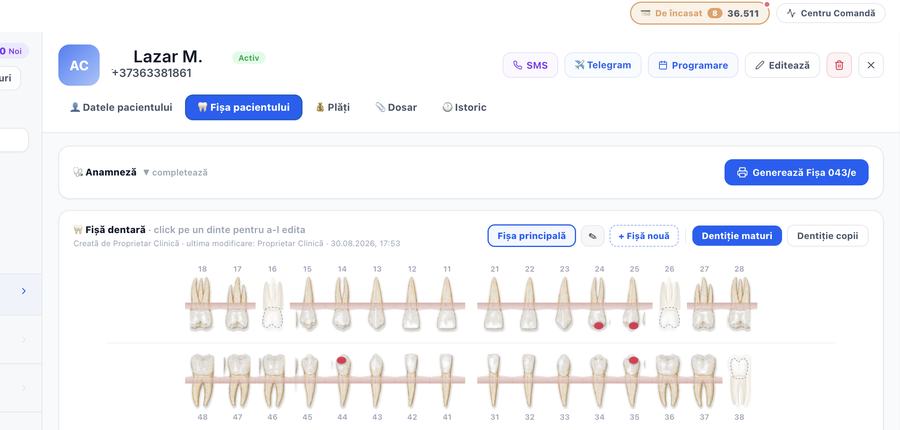
Adult and child dentition, several charts per patient and one main chart. Click a tooth and mark what you found.
- Problems found move into the treatment plan on their own
- Anything completed in the plan comes back marked on the chart
- Radiographs, CBCT and photos — a 3D viewer across planes and a per-tooth report
- Periodontal chart: six sites per tooth — depth, recession, bleeding, plaque — with examinations that close and stop changing
Treatment plan
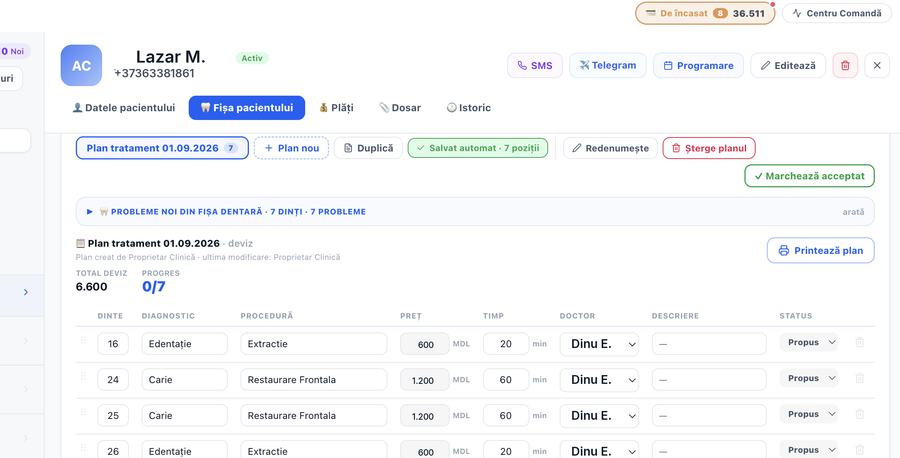
Built tooth by tooth, with diagnosis, procedure, price, duration and dentist. Orthodontics, restorative, prosthetics and surgery kept apart.
- Several plans per patient, with duplicate and rename
- A status on every line: accepted, in progress, done, cancelled
- An “accepted by patient” marker and a printed estimate
- Comments on a line, saved with the name of whoever wrote them
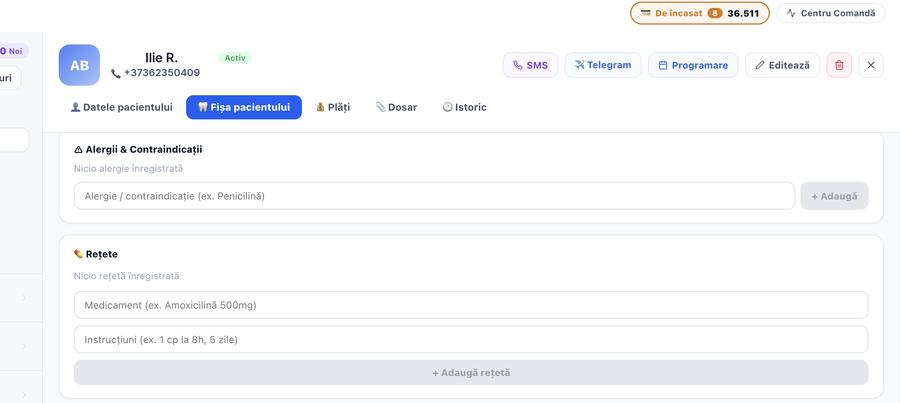
History, allergies and prescriptions
Allergies and contraindications sit in plain view before any work starts. Prescriptions and clinical notes are typed or dictated.
Patient portal
You send access with one click from the patient's file. They see their appointments, medical record and payment plan without calling reception.
- Access is sent to the patient's phone
- They see only what concerns them
- It can be switched off at any time, from the same file
Form 043/e
The form the Ministry of Health asks for, bilingual, filled in from the dentist's work. Print it and sign it.
Consent forms
Templates signed on a tablet. The record stays complete, with no paper in drawers.
SMS and Telegram
Message the patient straight from their record. Appointment reminders go out on their own.
Patient notifications
The patient is told without anyone at reception picking up the phone. Appointment reminders, confirmations, the message after treatment and the notice for a due instalment all go out on their own.
- A template per message type, in the patient's language
- The patient's file shows what was sent and when
- Choose the channel: SMS, Telegram or WhatsApp
Feedback
Ask the patient how it went and collect the answers per dentist, as a report.
Imaging
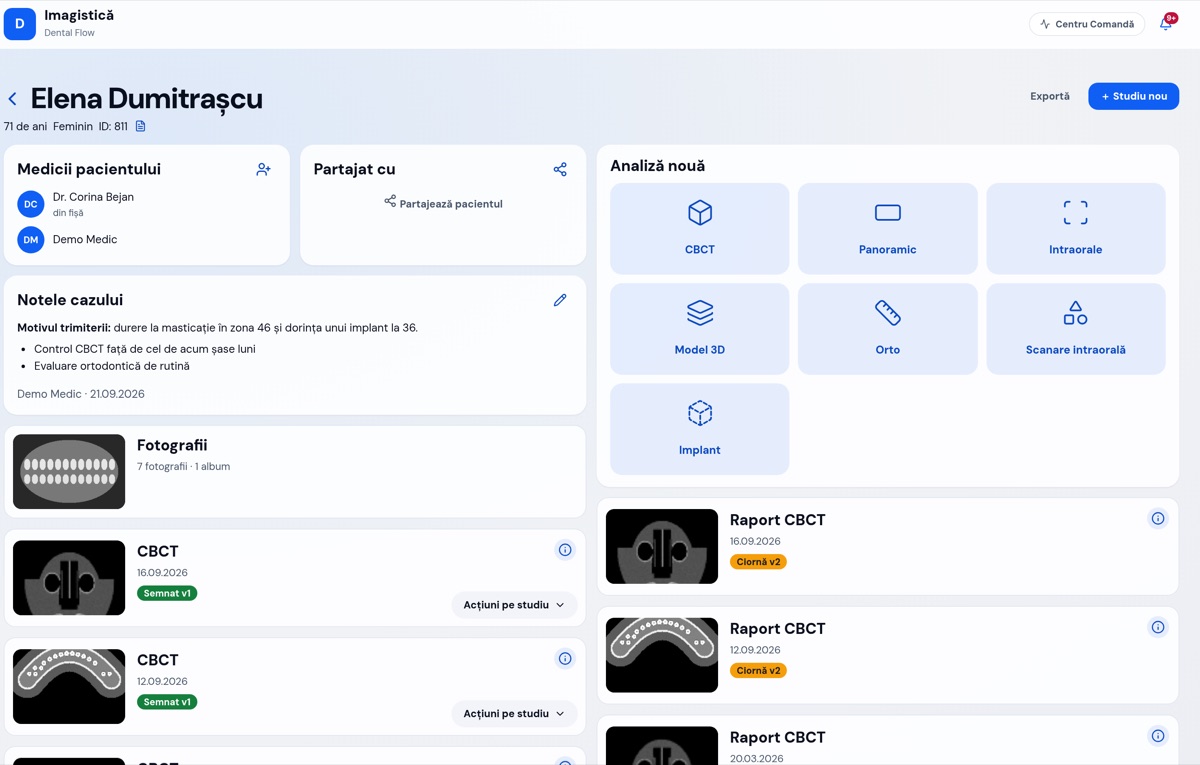
Radiographs, CBCT scans and photographs live with the patient, not on the computer in the treatment room. You open them in the software, write the report and sign it.
- CBCT, panoramic and periapical radiographs, photographs and intraoral scans
- Viewer with axial, coronal, sagittal and 3D views, measurements and density
- Panoramic reconstructed from the CBCT, mandibular canal and TMJ
- Implant planning, with an implant catalogue
- A report per study, with versions and a signature
- What arrived from the machines and what is waiting for a report, in one list
- Shared with the patient or a colleague, with an access log
Money
The part that tells you whether the month came out ahead.
Payments
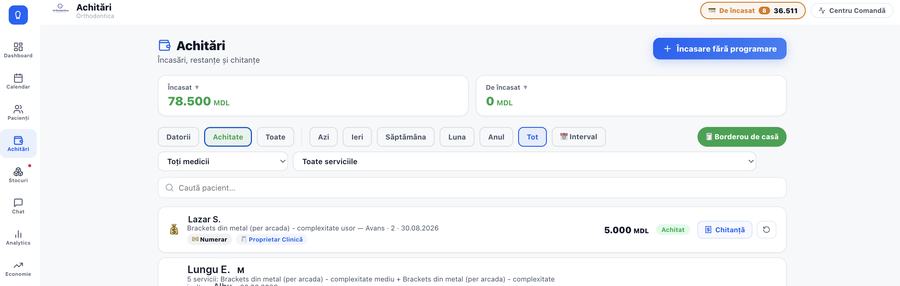
Cash, card, transfer or deposit. A receipt on the spot, a reversal with a reason, and a cash-up per operator.
- Take payment with no appointment attached
- Filter by day, week, month, year or your own range
- A printed cash sheet
- See who took the money and which dentist it counts towards
Done but not paid for
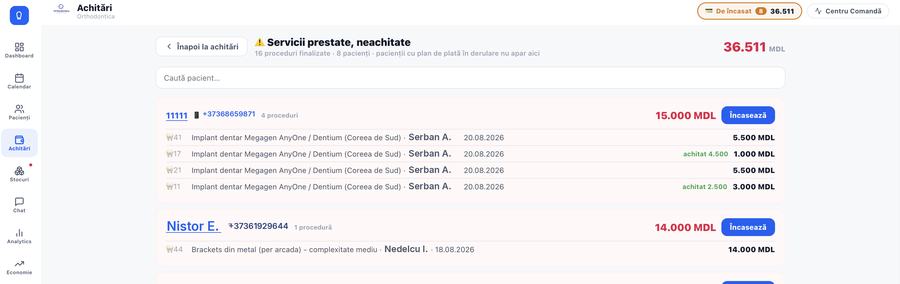
Finished procedures with nothing paid against them, grouped by patient and tooth, with the dentist who did the work. Take payment from the list.
Payment in instalments
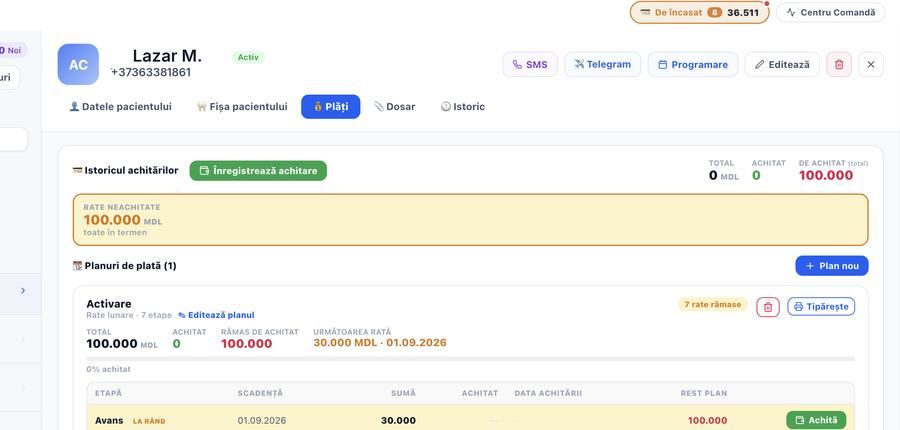
Split the total into instalments with due dates. See what has been paid, which one is next and what is left on the plan.
- A deposit kept separate from the instalments
- A receipt for every payment
- A printed plan for the patient
Overdue accounts
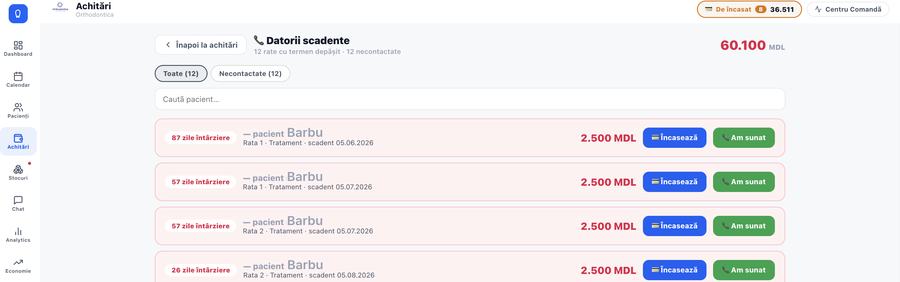
The call list, ordered by days overdue, with the phone number in view and a “called” button.
Economics · the clinic's health
Profit and loss, cash flow, break-even point. You know whether the month came out ahead before you close it.
- Profit and loss by month, against the months before
- Cash flow: what comes in, what goes out, what stays
- Break-even — the point at which the month turns a profit
- Cost per service, and what is left after materials, pay and lab work
- Where the money comes from: by dentist, by treatment type, by patient source
Costs
Materials, rent, wages, lab. You find out what is left from each service, not just what came in.
Prices and discounts
The service list with a price per complexity, discount cards, and the right to change a price given only to those who should have it.
Materials and lab
The store room, the suppliers and the orders sent to the technician.
Stock
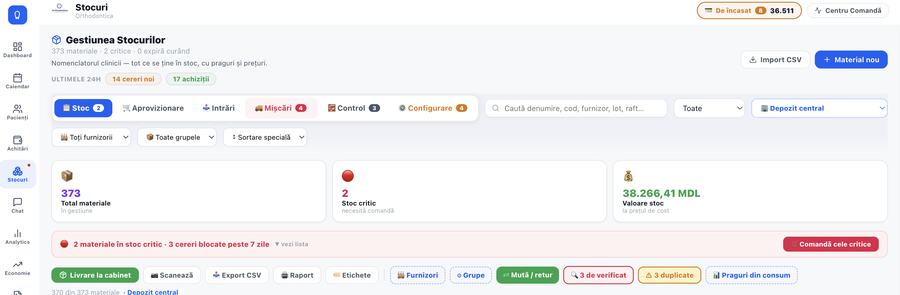
Everything the clinic keeps in the store room, with quantity, unit, price and a critical threshold. Stock value shown at cost.
- Several stores and treatment rooms, with transfers and returns between them
- Thresholds worked out from real usage
- Batches, expiry dates and printed labels
- CSV import and export, barcode scanning
Material requests
The dentist requests materials in the app. You approve, refuse or mark unavailable, line by line.
Deliveries and suppliers
Incoming invoices per supplier, with the purchase price. This is what updates the cost held in stock.
Checks and stocktaking
Lines to verify, duplicates, and the gaps between what the software says and what is on the shelf.
Dental laboratory
Orders to the technician, with a due date and a stage. You see what is late before the patient arrives.
- Orders with a due date, a stage and the technician responsible
- Work in stages: try-in, adjustment, delivery
- Materials used are taken off the lab's stock
- The cost of the work feeds into the profitability of the treatment
- Works with an outside lab too, as a simple order register
The team
The people, their hours and the money they are owed.
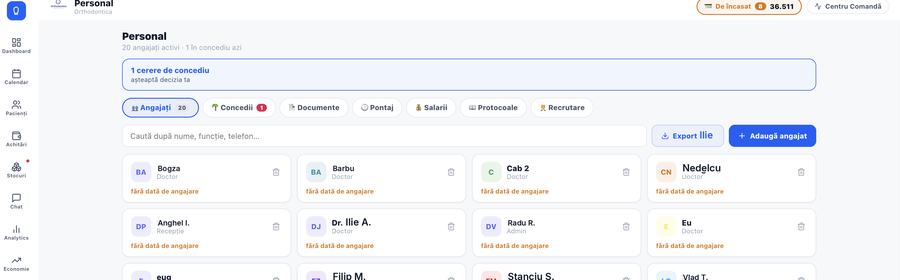
Staff
Employee files, roles, documents with expiry dates and the clinic's protocols.
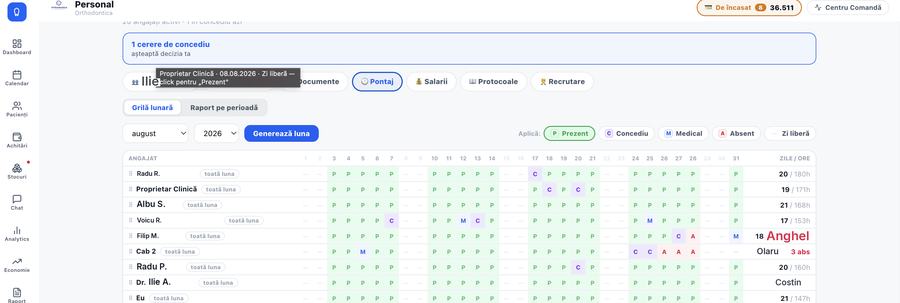
Timesheet
A monthly grid: present, leave, sick, absent and day off. Filled in with the mouse or from the keyboard.
- Days generated from the schedule show pale, hand-corrected ones in solid colour
- Approved leave fills itself in
- A report for any period, with days and hours
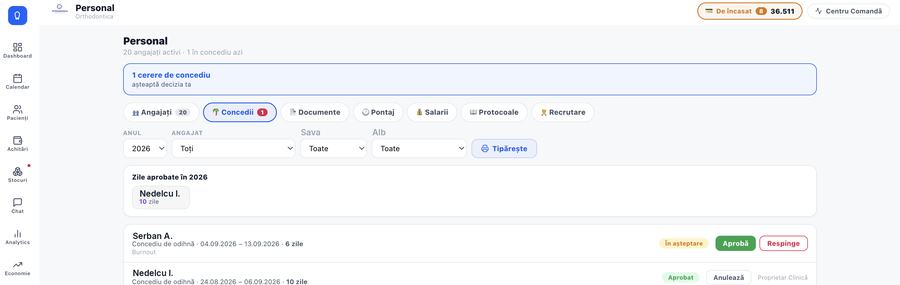
Leave
The employee requests, you approve or refuse. It stays on record who decided and how many days of the year are used up.
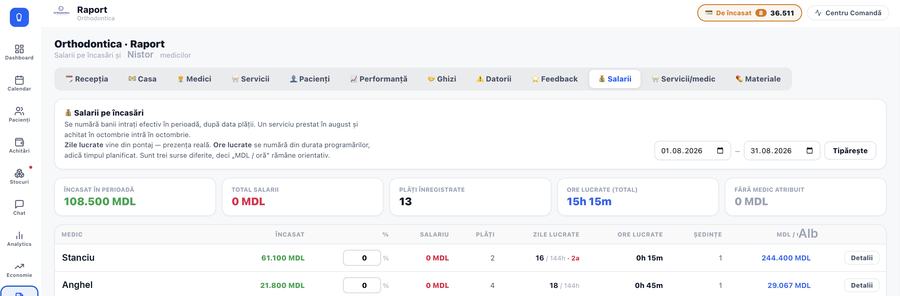
Pay
A percentage of takings or a fixed amount per session, worked out from what each person did. It counts money that actually came in during the period, by payment date.
Hiring
Candidates and where the conversation stands, so nobody gets lost in messages.
Control and paperwork
Who saw what, who changed what, and what you print.
Reports
Twelve reports ready to go: reception, cash, dentists, services, patients, performance, referrers, debts, feedback, pay, services per dentist and materials.
- Filter the period and print
- Export to Excel
- A breakdown per dentist: what they did and what they brought in
Roles and permissions
Everyone sees only what concerns them. Prices, reports and staff data are granted by role.
Audit log
Any deletion or price change stays written down, with a name and a time.
Analytics
How the clinic moves month by month: new patients, services, takings, the dentist with the best return.
Settings and branches
Services, dentists, rooms, opening hours and clinic details. Several branches on one account.
The clinic's data stays the clinic's
Where it lives
On servers in the European Union, over an encrypted connection. Each clinic's data is kept apart from every other clinic's.
Backups
Taken automatically, every day. If something is deleted by mistake, it can be brought back.
Who sees what
Permissions are granted by role. Any deletion or price change stays in the log, with a name and a time.
Leave whenever you want
We export your patients, appointments and payments into files you can open anywhere. No argument and at no charge*; only the transfer the download uses is counted, like any download from the software.
Let's talk about your clinic
Message us on WhatsApp with how many treatment rooms you have and what software you use now. We answer the same working day, with something concrete rather than a brochure.
- We show you the software on your own data, not on a demo
- We explain exactly how your data moves across
- The team that built the software answers